


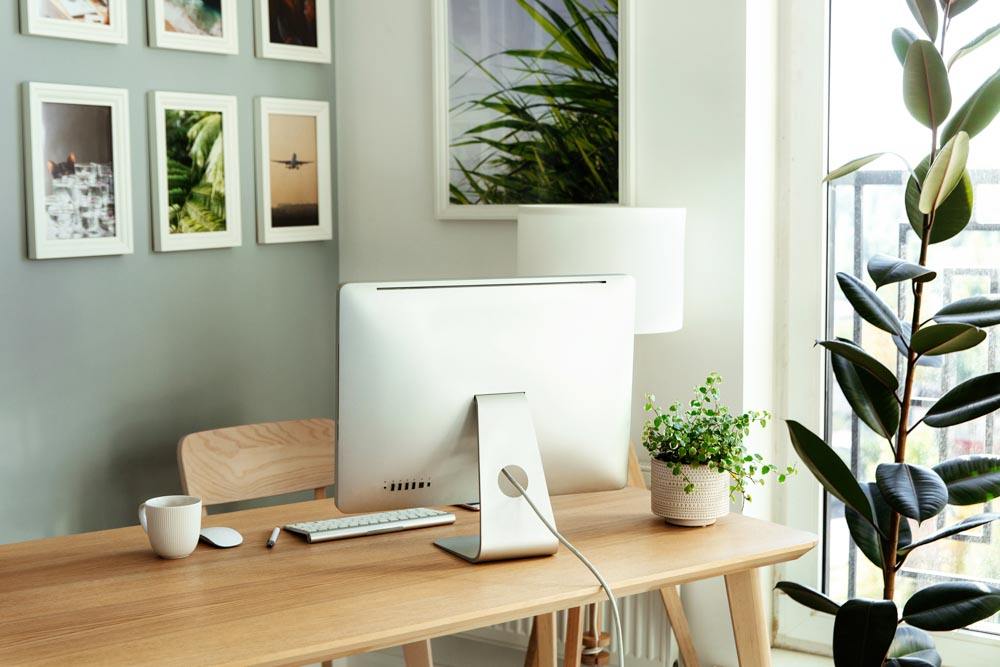
A supportive workspace makes remote work feel smoother and less stressful. The best work-from-home setup does not require extra rooms or large floor plans. It comes from choosing the right spot, using furniture that fits your layout, and creating a home office setup that supports daily routines.
Choosing a Spot for Your Home Office Setup
Start by picking an area that feels easy to settle into. A home desk setup can work in a corner of the living area, near a window, or along an open wall with enough depth for a desk and chair. Even a small apartment can handle an effective work-from-home desk setup when you keep the layout simple and maintain clear, open pathways.
Helpful places to consider:
- A window-adjacent wall for natural light
- A living room corner that can hold a small desk
- A den or flex space in larger layouts
- A stretch of hallway or open loft wall for slim desks
For more ideas on fitting furniture into tight layouts, explore our guide on maximizing small apartment spaces.
Designing a Work from Home Desk Setup That Fits Your Layout
The best home desk setup blends naturally into your apartment without feeling forced. The right desk can make a big difference in an apartment.
Desk types that work well in apartments
- Compact desks with built-in shelving
- Ladder-style shelving desks
- Wall-mounted desks or floating work surfaces
- Larger desks for apartments with flexible layouts
Pair your desk with a chair that offers reliable support. A monitor stand or laptop riser can also bring screens to eye level and keep the setup clean.
Lighting Strategies for a Better Work from Home Office Setup
Lighting affects comfort more than most people expect. Natural light is ideal, and placing your desk near a window can make the space feel more inviting. Be mindful of the exact placement to minimize possible computer screen glare.
When natural light is limited, try a layered approach: one soft ambient light and one targeted task lamp. Both help reduce eye strain and keep your home office desk setup comfortable throughout the day.
Creating an Effective Home Office Computer Setup
A solid home office computer setup keeps your workflow smooth and your desk comfortable to use.
Small adjustments that make computer work easier
- Clear cable routing to prevent tangles
- A power strip with surge protection to centralize cords
- A monitor placed at eye level and an arm’s length away
- Wireless accessories to maintain a clean surface
- A second monitor for multitasking, even in small-space setups
Keeping Your Workspace Organized
A tidy workspace supports a clearer mindset. Drawers, shelving, or a slim organizer can hold essentials without taking over your desktop. Storing additional items on a single shelf or in a nearby cabinet makes it easier to switch out of work mode at the end of the day and helps minimize clutter.
Comfort Upgrades That Improve the Best Home Office Set Up
Small touches can make your apartment workspace feel more welcoming. Consider a cushioned chair pad, soft rug, or a laptop riser. Plants or simple artwork add warmth and help separate the workspace visually from the rest of the apartment.
Setting Up a Home Office for Remote Work That Supports Balance
A productive work-from-home office setup should help you end the day as easily as you start it. Closing your laptop, adjusting lighting, or keeping work items on a single shelf creates a clear transition into downtime. This routine stops your workspace – and workday – from blending into everything else.
Office Desk Installation Considerations
Before placing your desk, measure the space you’d like to put it to ensure drawers and chairs can move freely. Check that outlets are accessible and that cords can reach without stretching. For any wall-mounted desk or shelving, use proper anchors to support the structure.
Final Takeaway
A great home office setup is achievable in almost any apartment. With thoughtful planning, a smart desk location, comfortable lighting, and an organized workspace, even compact layouts can support a productive place to focus and get work done at home.
Additional Resources
If you are planning a move or exploring layouts that can better support a home office setup in your apartment, these guides offer practical direction:
- 5 Ways to Choose the Best Apartment Floor Plan
Helps you understand how different layouts function and what to look for when comparing options. - How to Find the Best Home for You
Breaks down what matters most during an apartment search and how to decide which features fit your daily routines.
You can also explore apartment options in each CIP market to see layouts that may work well with your ideal home office setup:
These pages make it easy to compare floor plans, view availability, and find layouts that offer the flexibility needed for a productive home workspace.
Life is Better Here.
CIP Communities is a family-owned property development and management company based in Lincoln, Nebraska. CIP Communities manages more than 39 multifamily communities — with over 7,200 apartments — in Nebraska, Iowa, and Minnesota. Rooted firmly in customer service and value, CIP Communities focuses on providing exceptional experiences for its residents. For more information about CIP Communities, visit rentcip.com/about-cip-communities.